
CAD, BIM & Engineering Automation Platform
Automation by software
241 automations across 8 platforms. Pick the application you already have open — the page lists exactly what we automate inside it, grouped the way that software is actually used on a project.
Design, analysis, coordination, scheduling, reporting
Discipline is still the best way into the catalogue. This is the other way in — by the software the work happens in.

Revit
Autodesk
The model that everything else is generated from.
- Architecture
- Structure
- MEP

AutoCAD
Autodesk
Drawing production without the redrawing.
- Architectural
- Structural
- MEP
- General CAD Automation

Navisworks
Autodesk
Federate, clash, group, report — without the manual week.
- Model Coordination
- Clash Detection
- MEP Coordination
- Constructability

Excel
Microsoft
The spreadsheet layer between the model and everything else.
- Calculation & Quantities
- Data Management
- Model Exchange

Power BI
Microsoft
Project reporting that refreshes itself.
- Project Dashboards
- Delivery & Quality
- Portfolio & Executive

Primavera P6
Oracle
Schedules built from the model, updated from the site.
- Schedule Creation
- Schedule Control
- Reporting & Export

ETABS
Computers & Structures, Inc.
Analysis models generated, loaded, run and reported.
- Model Generation
- Loading
- Analysis & Design
- Results & Output

MS Project
Microsoft
The same scheduling automation, on the Microsoft stack.
- Schedule Setup
- Tracking & Analysis
- Reporting & Exchange
Also in the stack
We model, analyse, review and report in these too. Automation here is scoped per project rather than shipped as listed plugins — tell us what the task is and we will tell you what can be automated.

Archicad
Graphisoft
SketchUp
Trimble

Civil 3D
Autodesk

Infraworks
Autodesk
3ds Max
Autodesk
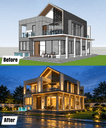
Rendering
Enscape, V-Ray, Lumion
Staad.Pro
Bentley

Sap2000
Computers & Structures, Inc.

Tekla Structures
Trimble

Solibri
Nemetschek

Synchro 4D
Bentley

Planswift
ConstructConnect

Microsoft Word
Microsoft
One connected ecosystem
Design → analysis → coordination → documentation → scheduling → reporting → project management, automated across the complete project lifecycle instead of stopping at each application boundary.
- AutoCAD ↔ Revit
- Revit ↔ Navisworks
- AutoCAD ↔ Navisworks
- Revit → Excel
- Navisworks → Excel
- ETABS → Excel
- Primavera → Power BI
- MS Project → Power BI
- Excel → Power BI
- BIM → Quantity Takeoff
- BIM → Project Schedule
- Model → Progress Tracking
- Model → QA/QC Report
- Engineering Calculation → Drawing
- Project Data → Automated Dashboard
- Automated Project Submission Package
Running something that isn't on this list?
Tell us which application eats your week and what the repetitive task actually is. If it has an API, it can usually be automated.
+971 50 605 5153 · info@bimautomationconsulting.com